

Audio examples
Scroll to play more
Divine Destruction Drums
Overview
Take complete control of your drum sound without slowing down your creativity.
Whether you're producing chart-ready releases or recording demos at home, Divine Destruction Drums gives you powerful, mix-ready drum tones straight out of the box.
Stop wasting hours trying to make lifeless drum samples work. Every sound has been expertly recorded, produced and mixed to make your drums hit hard, sit effortlessly in a mix and let you stay focused on writing or mixing great music.
Recorded at Quay West Studios in Portsmouth, inside a breathtaking 120-year-old church, the library captures the natural depth, size and character of an extraordinary recording space—giving your productions a sound that simply can't be recreated with ordinary sample libraries.
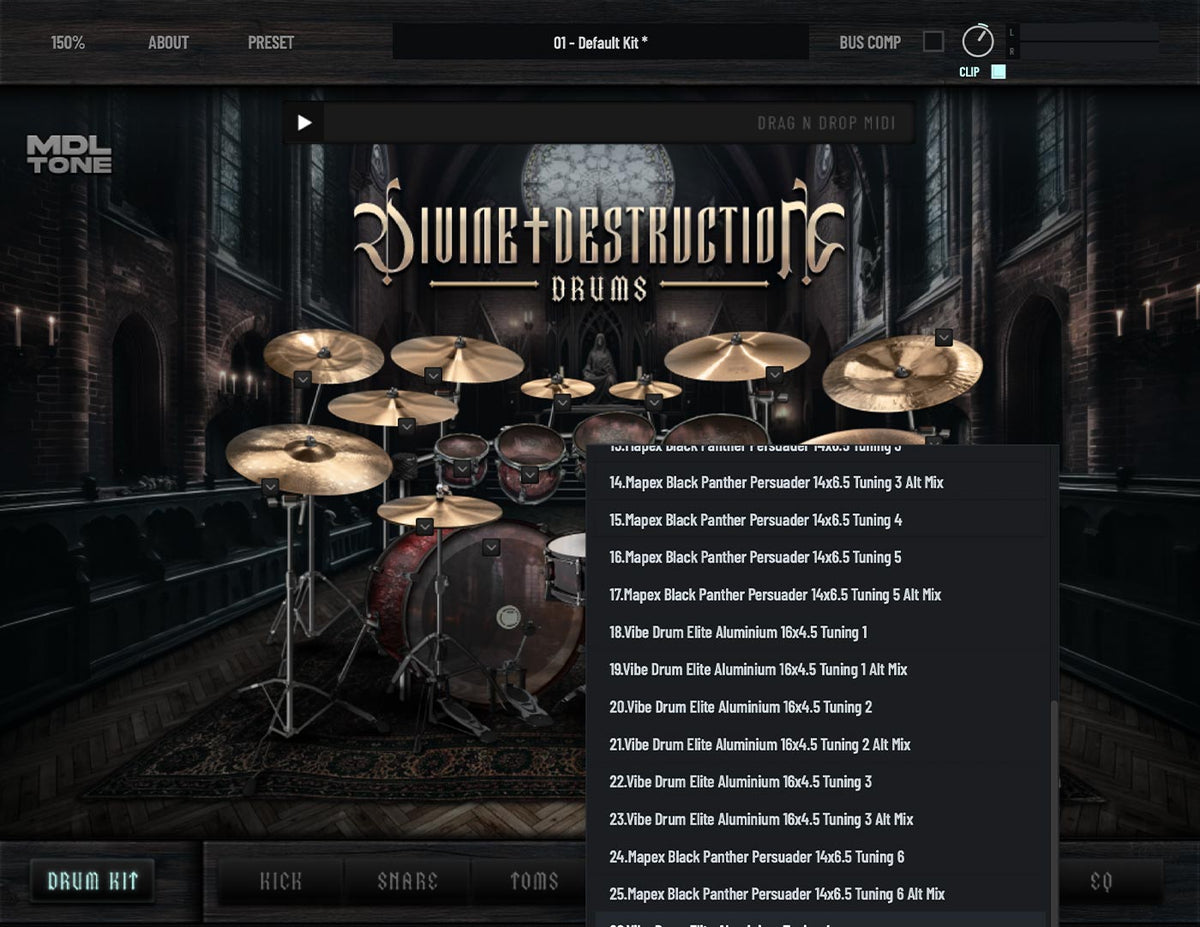
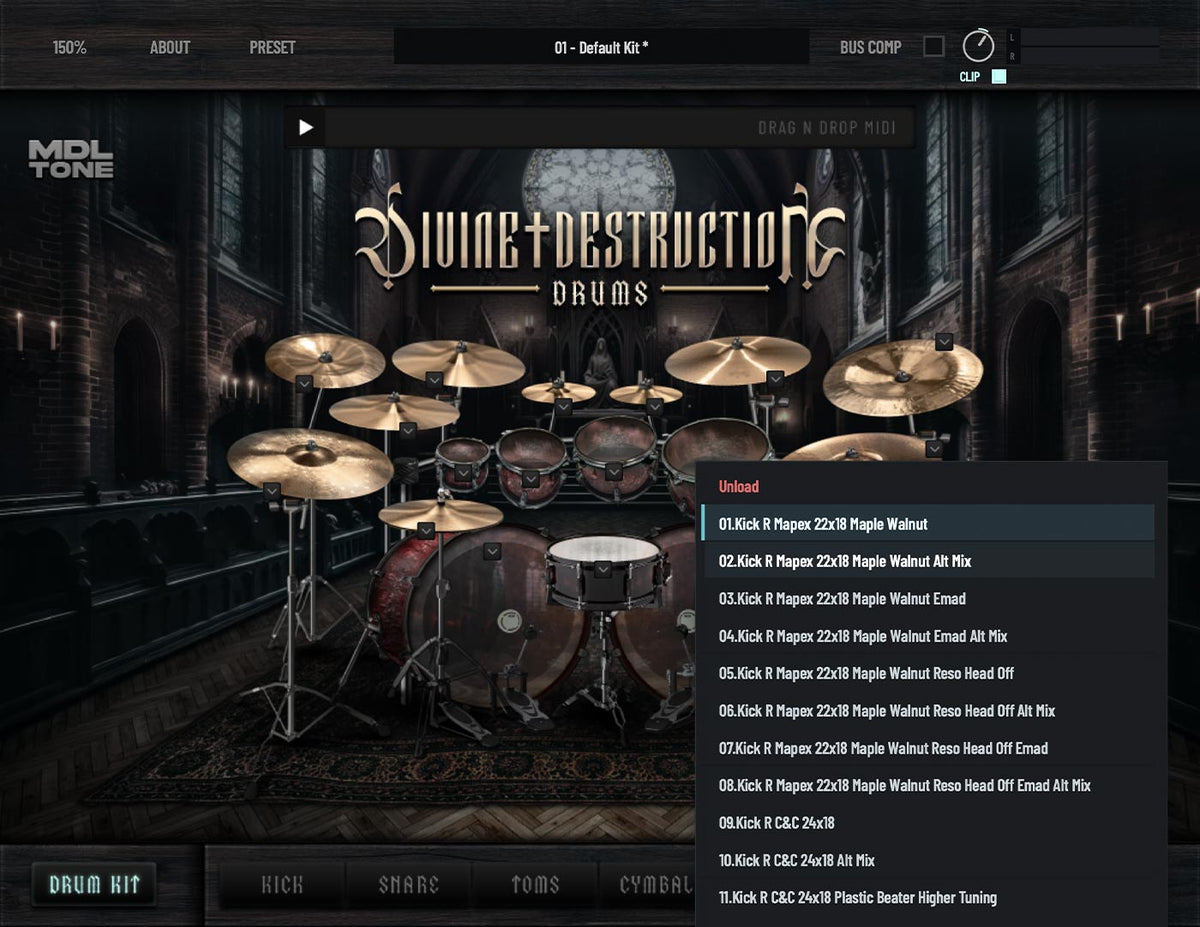
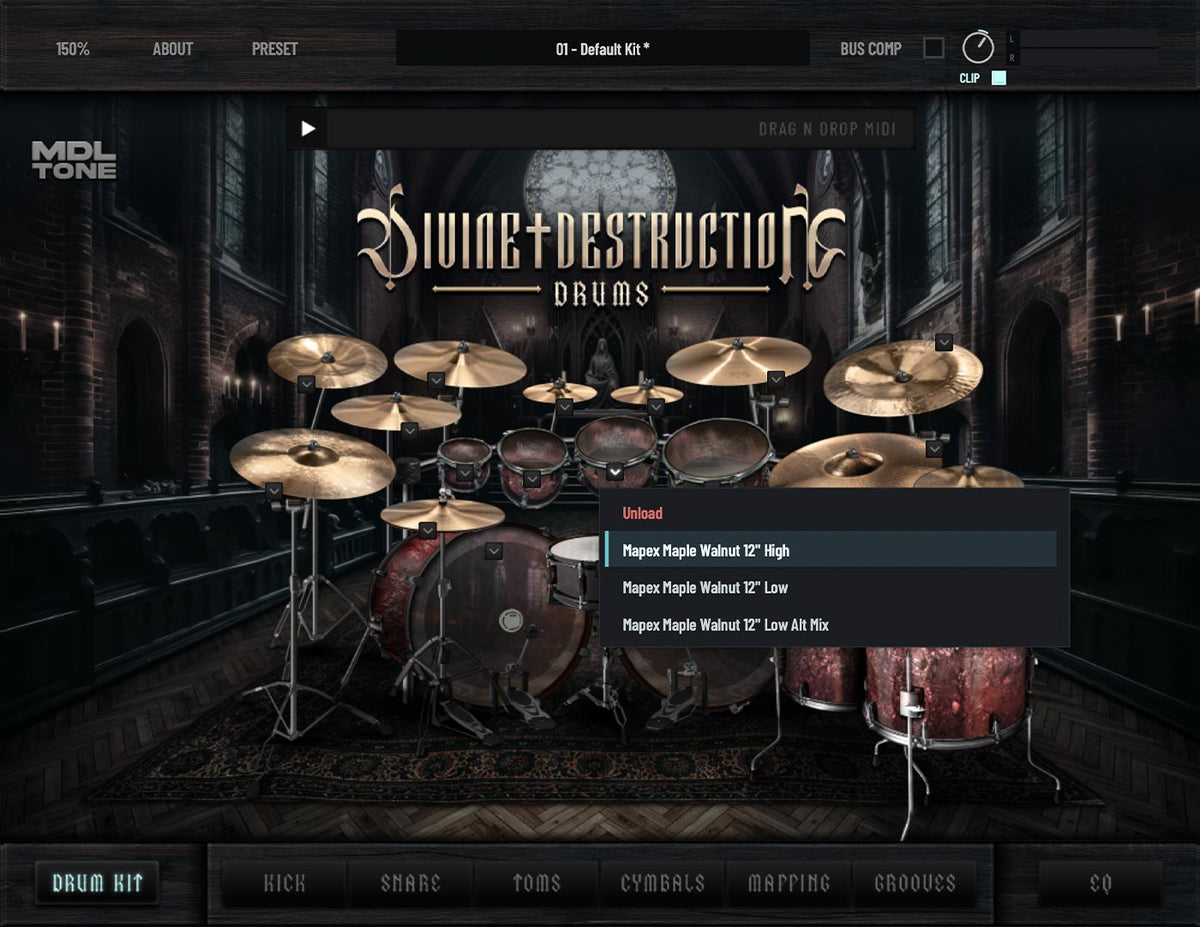
Giving you plenty of options
We all go through various phases of liking different drum sounds. We wanted to provide you with as many different drum tones so you can find your ideal sound.
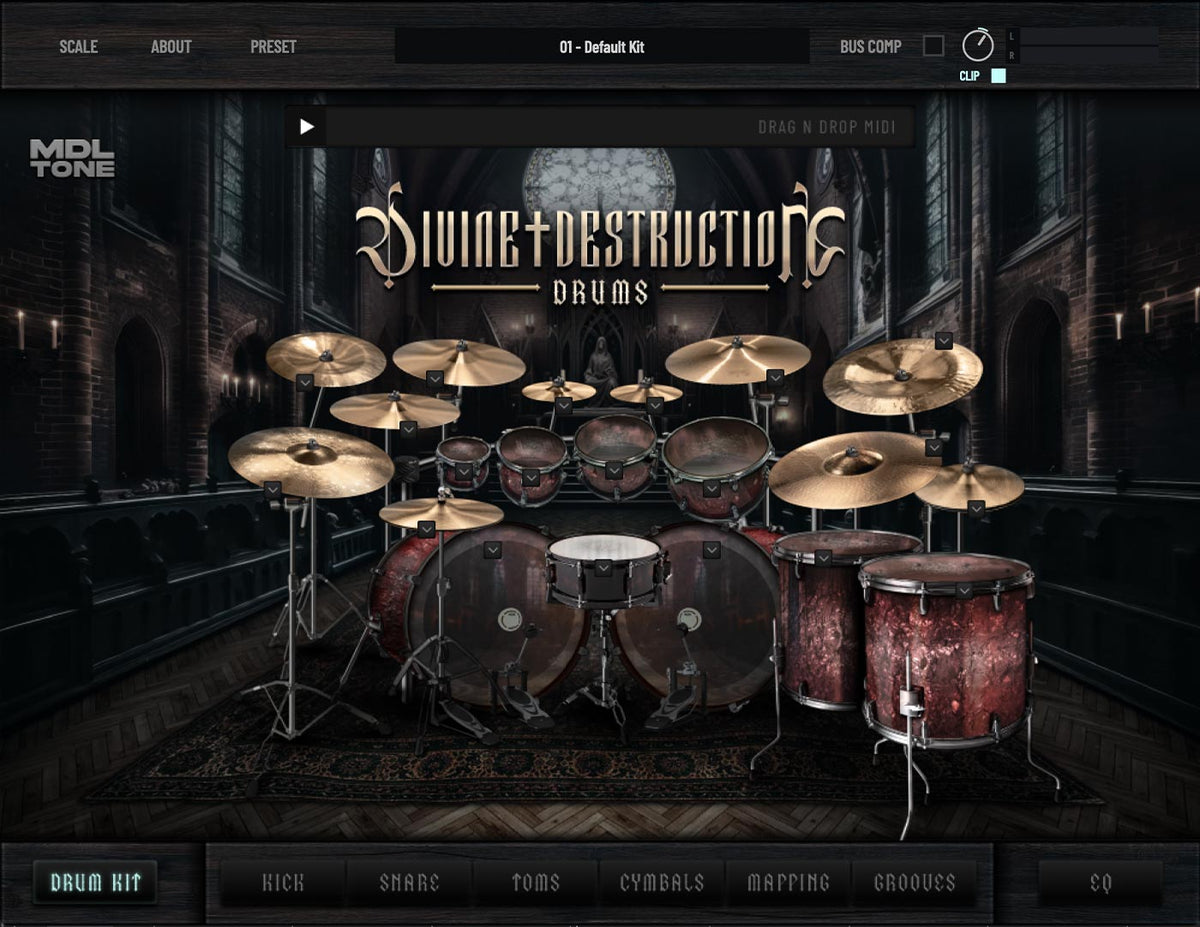
Divine Destruction Drums
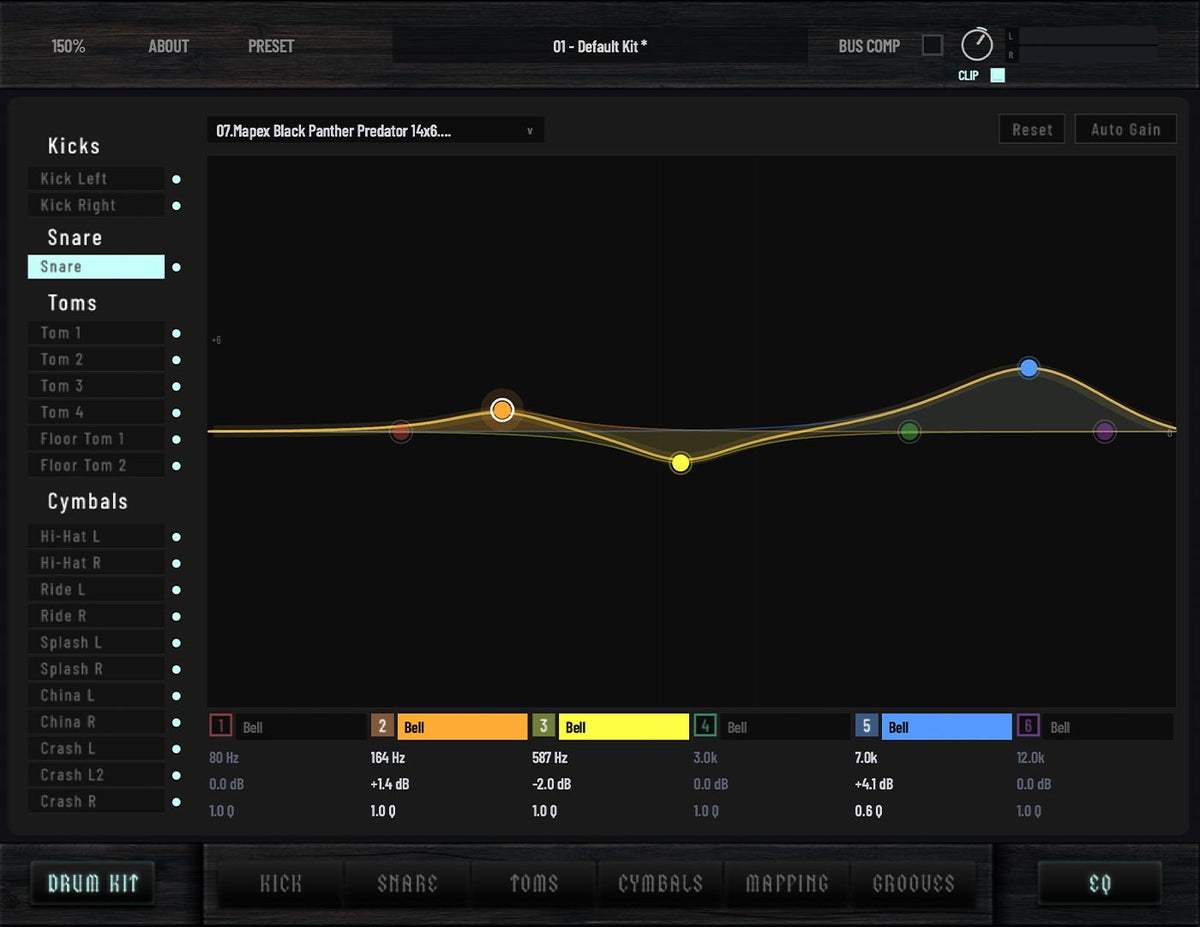
Parametric EQ
The included drums are designed to fit effortlessly into your mix, but when you need extra control, the built-in 6-band parametric EQ lets you shape every drum exactly how you want.
Divine Destruction Drums
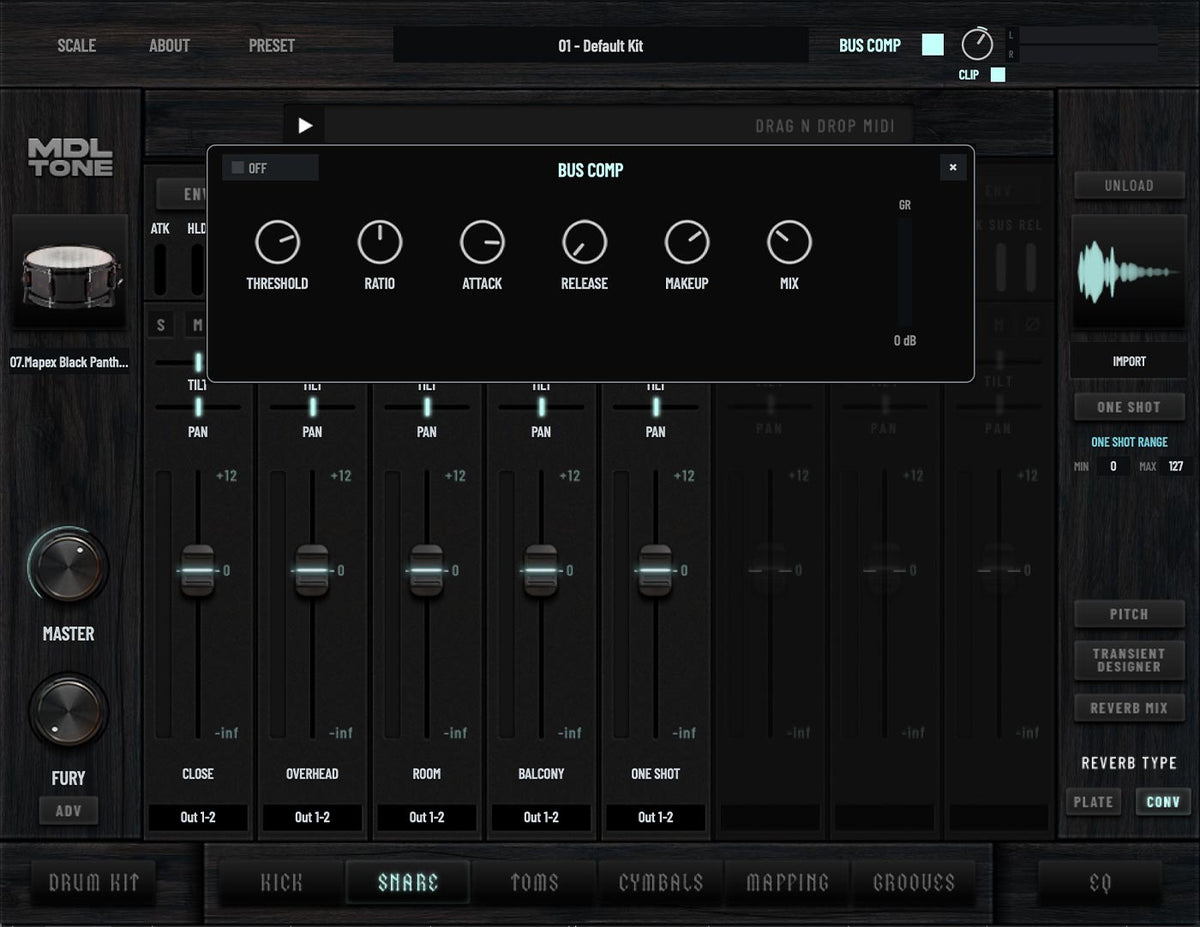
Bus Compressor
Glue your entire kit together with a great-sounding bus compressor featuring full compression controls and a dedicated mix knob for effortless parallel compression.
Divine Destruction Drums
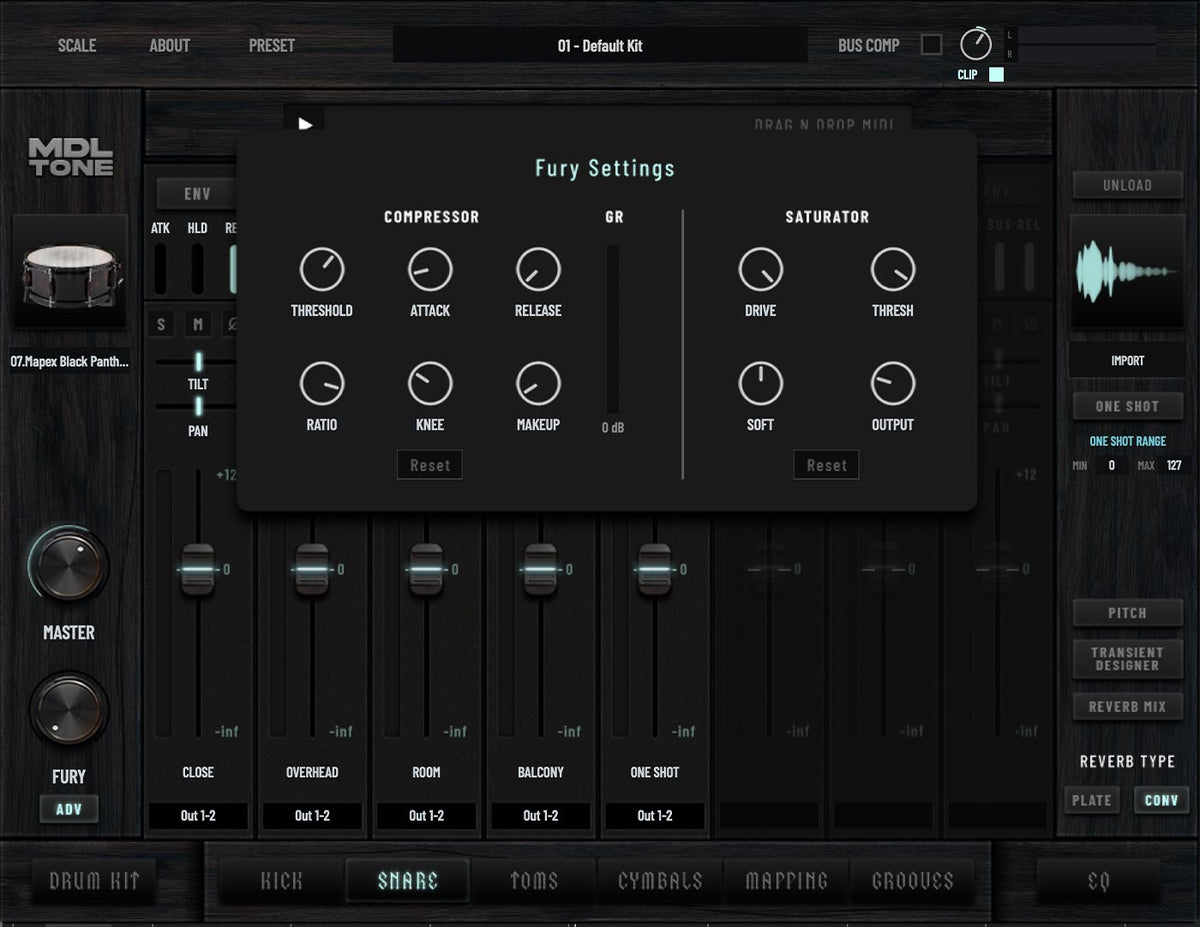
'Fury' Parallel Compression & Saturation
Add instant energy and aggression to individual drums with the Fury control.
Blend in parallel compression and saturation to make your kit come alive while maintaining clarity.
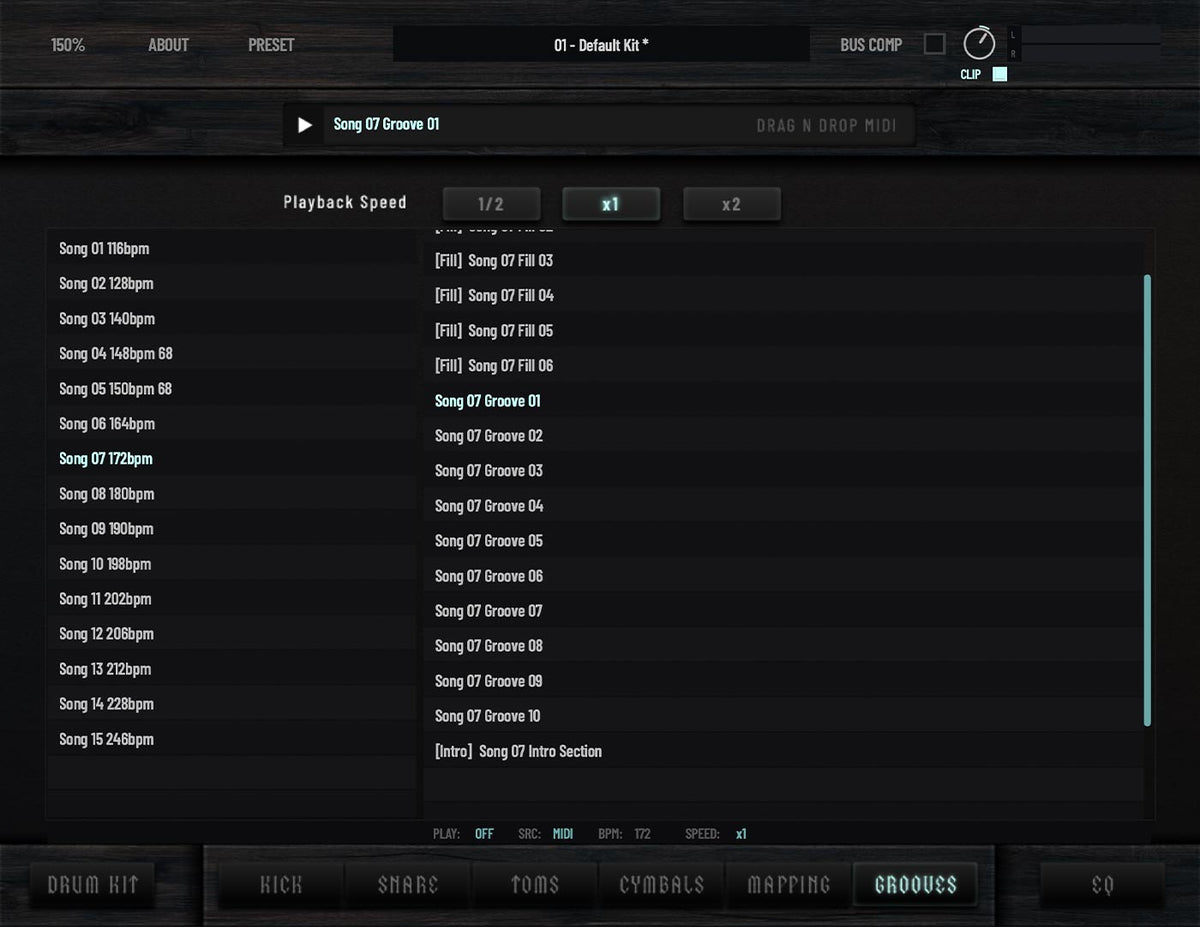
MIDI Groove Library
Included with Divine Destruction Drums is a library of MIDI grooves to inspire creativity. Choose drum parts from 15 different songs at different tempos and drag and drop straight into your DAW.
Divine Destruction Drums
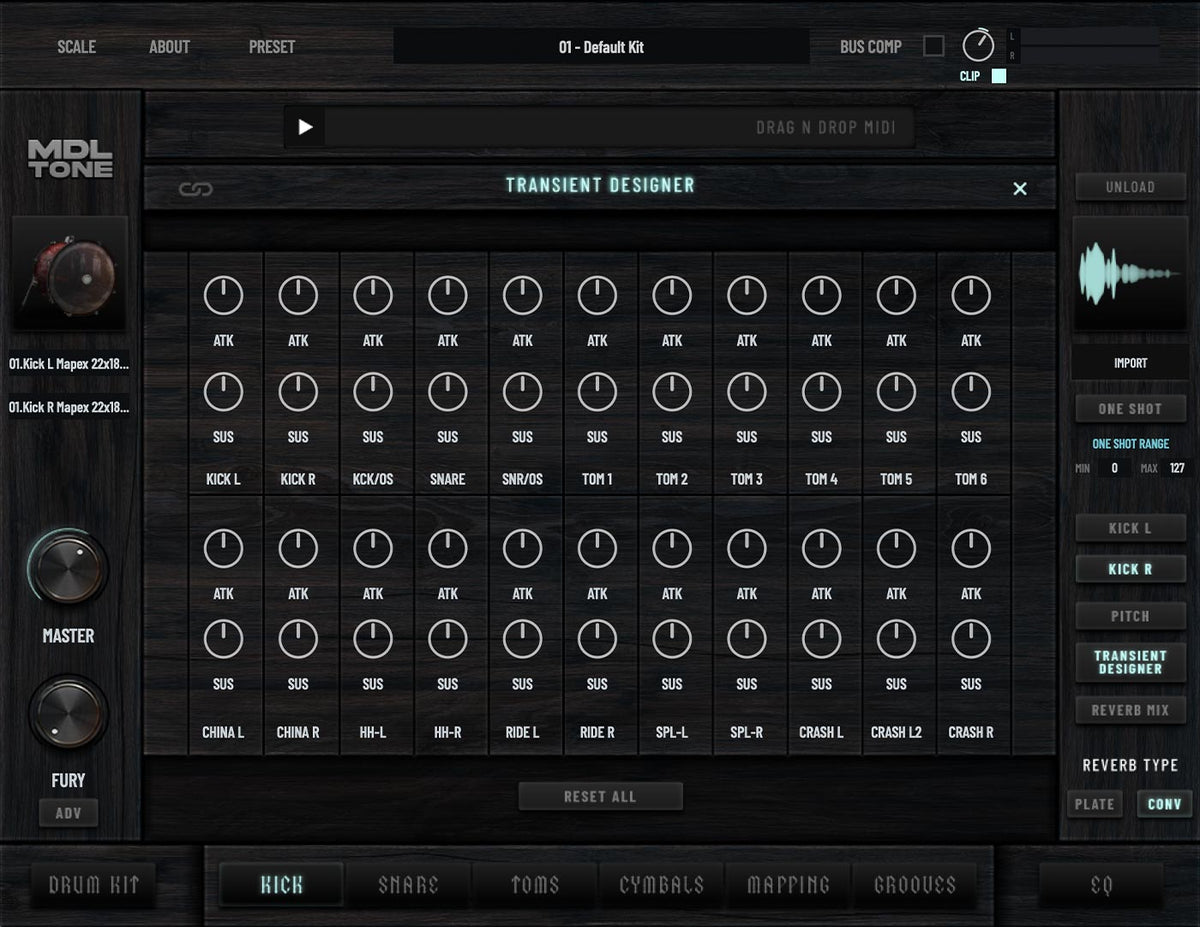
Transient Designer
Dial in more punch, attack or sustain with ease.
Whether you want tighter, more aggressive drums or bigger, more open tones, the controls are there when you need them—without unnecessary complexity.
Divine Destruction Drums
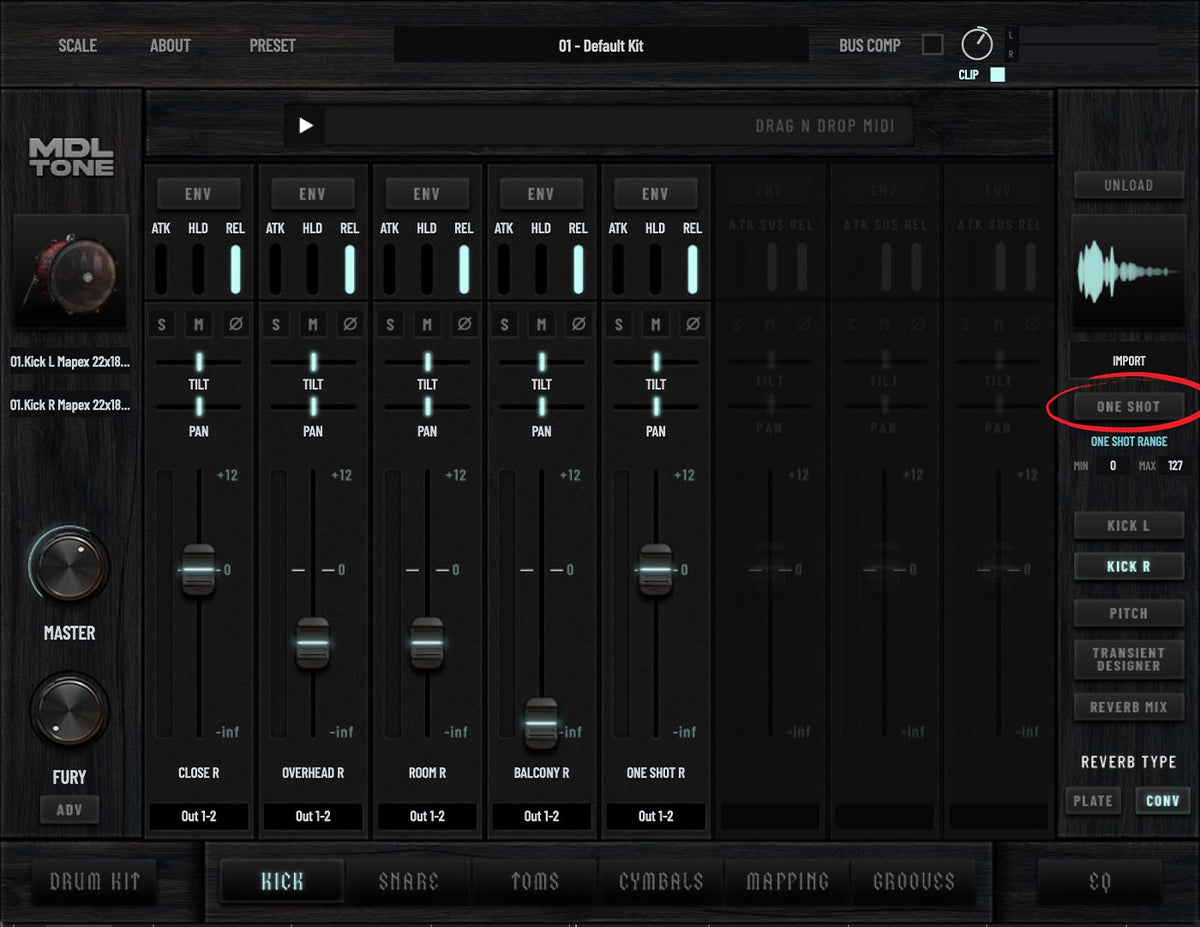
One-Shot Sample Loader
Blend in your own kick and snare samples or choose from a large collection of included one-shots to create your ideal sound.
Divine Destruction Drums
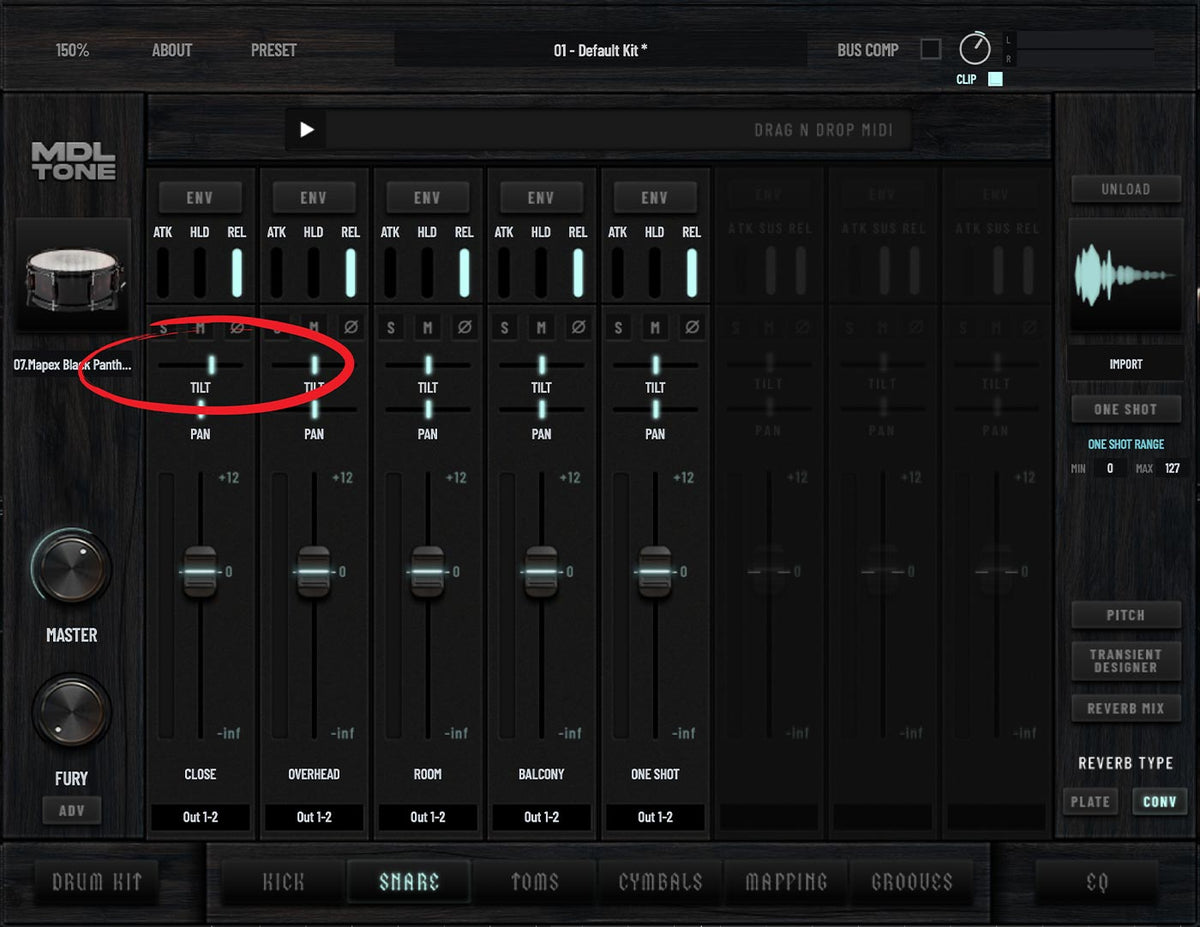
Tilt EQ
Instantly brighten or darken any drum channel with a single control.
Quick tonal shaping without complicated EQ adjustments.
Divine Destruction Drums
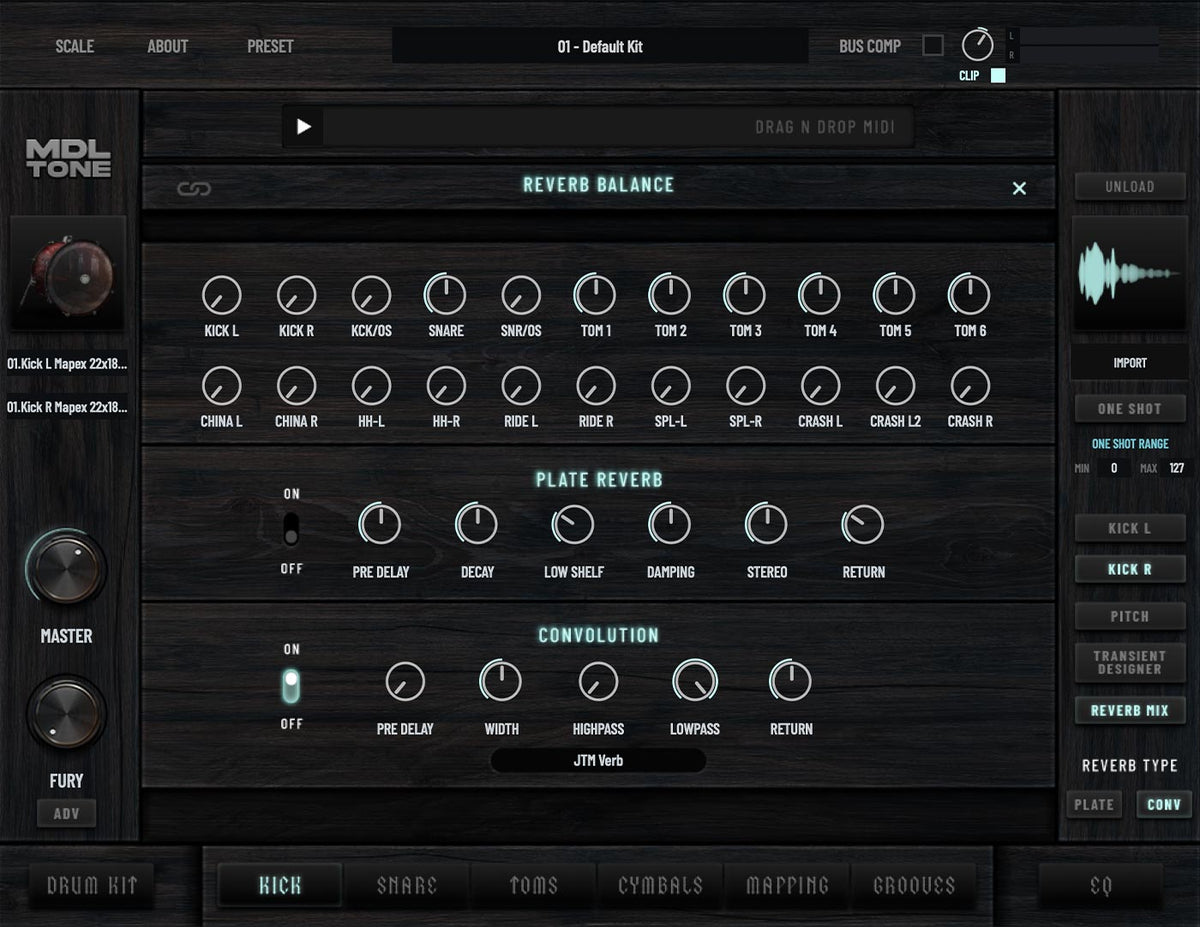
Reverbs
Choose between realistic convolution spaces and a classic plate reverb—or combine both—to place your drums exactly where your mix needs them.
Divine Destruction Drums
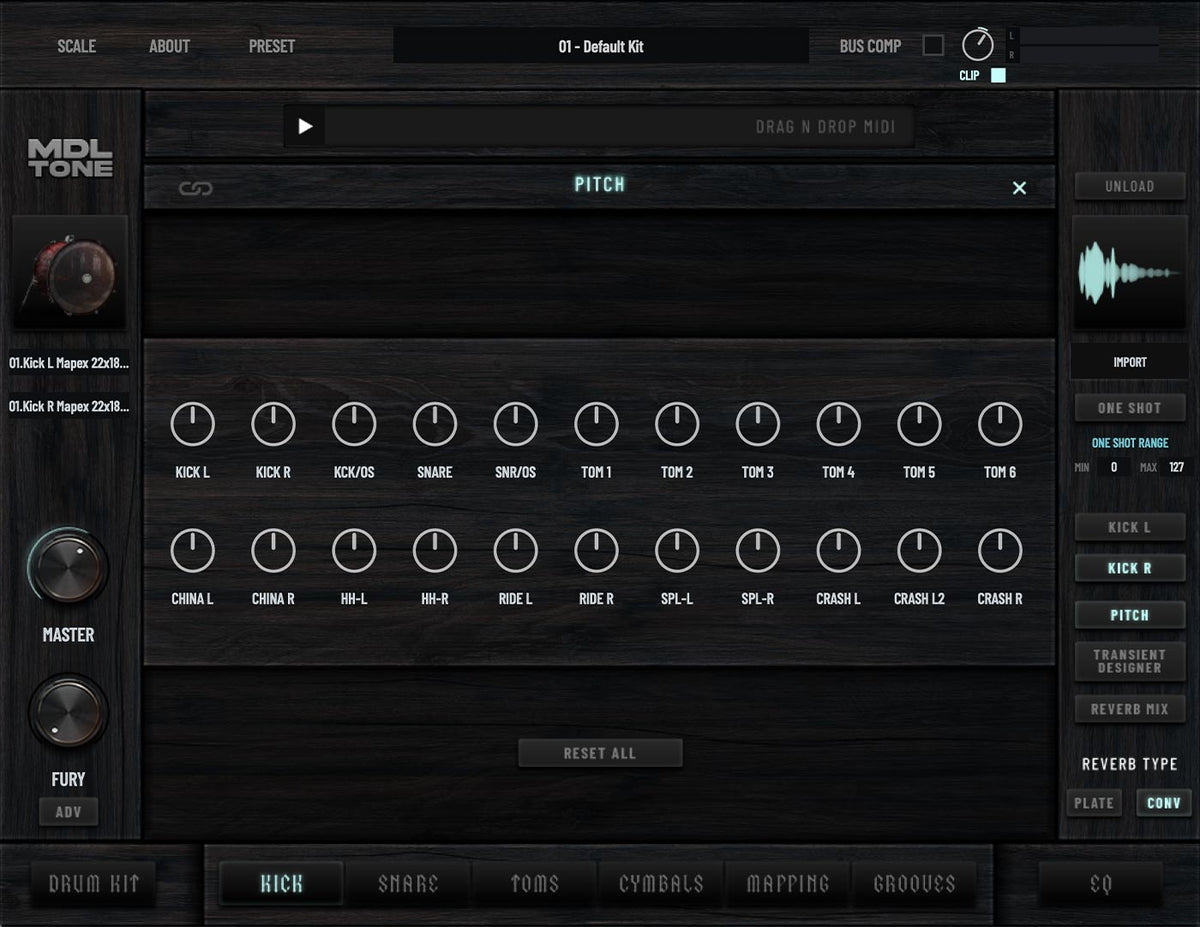
Pitch Control
An often overlooked but incredibly useful tool when working with drum samples.
Quickly tune every drum to suit your song. Perfect for refining drum tone and ensuring one-shot samples stay perfectly in phase.
Hear it in isolation
Scroll to play more
Testimonials
-
You will rarely find a mix I work on these days that don’t feature these drum samples. I thought for years about doing my own library as I had a certain sound in mind, but we seem to have such similar taste in drums that I’ve been beaten to it.
 Chris Clancy
Machine Head, Kataklysm, Evile
Chris Clancy
Machine Head, Kataklysm, Evile
-
When I start auditioning samples I always start with MDLtone drums, Josh’s stuff just works. Divine Destruction Drums is everything you need and with a huge great sounding room it offers so much flexibility. You can’t go wrong, it’s killer!
 Scott Atkins
Cradle of Filth, Behemoth, Vader
Scott Atkins
Cradle of Filth, Behemoth, Vader


Install & requirements
Divine Destruction Drums is a standalone plug-in delivered by the Cradle Hub. After purchase you'll receive an email to set your password and install the Cradle Hub, which handles your download and activation. You'll need a free Cradle account and an internet connection to get started.
Your license is automatically deposited at purchase to your Cradle account which you access through the Cradle Hub.
Activation & installation
Check your inbox for the account email we send after checkout. It guides you through two steps: setting your password, then installing the Cradle Hub.
Set your password. If you close the tab or complete the steps out of order, you can still set a password at any time by logging in — or creating an account — with the same email you used at checkout.
Download and install the Cradle Hub for your system: macOS or Windows.
Open the Cradle Hub, sign in with your account, then download and activate Divine Destruction Drums.